How to film a tennis match with your phone
Updated 20 October 2026
You don't need a special camera to record your matches. A phone in the right spot gets footage good enough to review, share with a coach and cut into highlights. Here's the setup that works best, and what to do with the video afterwards.
The setup
| Where | Behind a baseline, near the middle of the court |
|---|---|
| Height | Above head height: on a tall tripod or clamped to the back fence |
| Frame | All four corners of the court in view. Don't move the phone once you start. |
| Orientation | Landscape |
| Settings | 1080p or 4K. 60 fps makes the smoothest slow motion and shorts. |
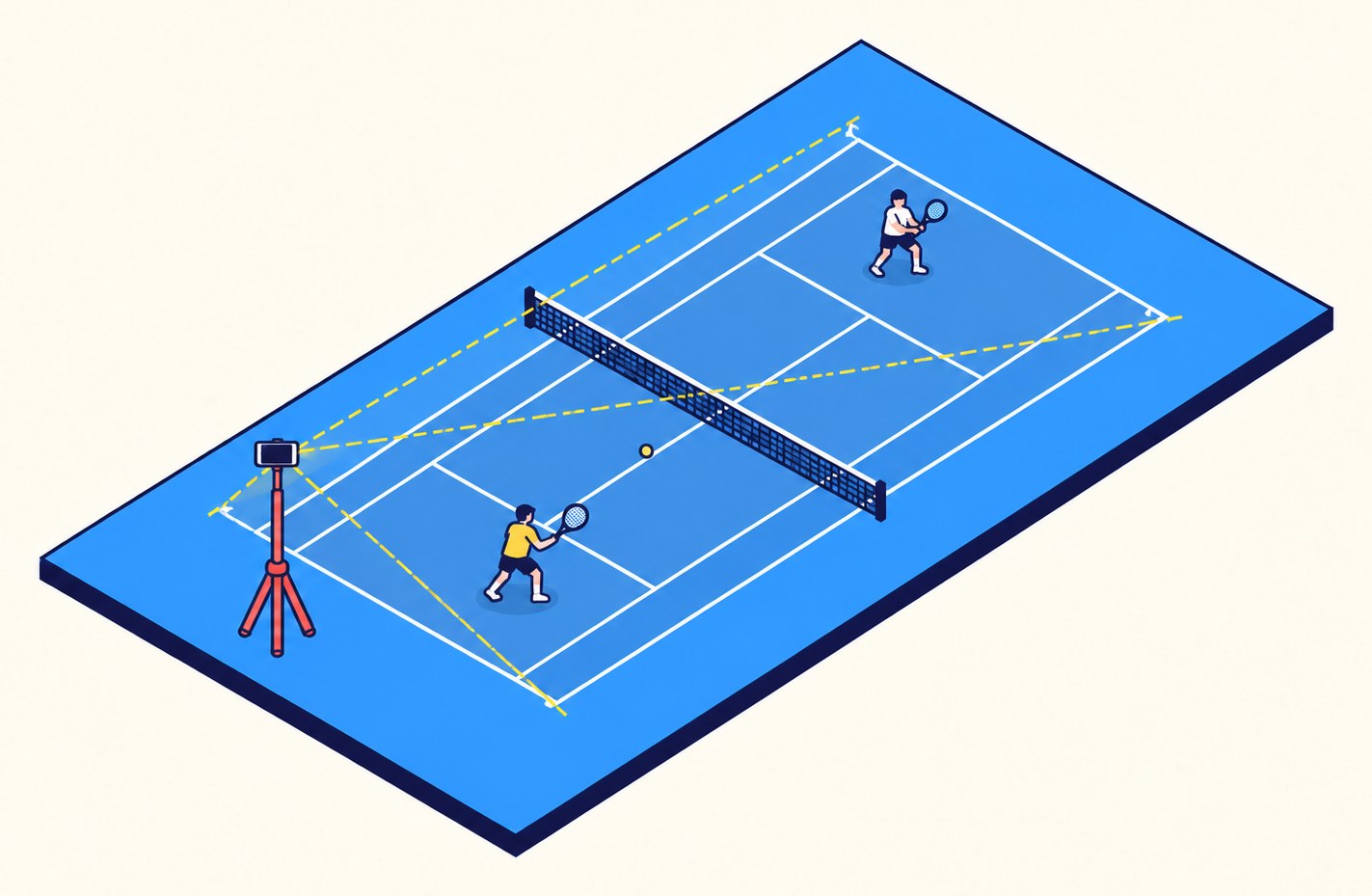
Mounts
- Fence clamp: a phone clamp for chain-link fences gets the phone high without a tripod and stays put in wind. Look for one with a ball head so you can level the frame.
- Tall tripod: a light stand or a tripod that reaches about 2 m (6–7 ft) works where the fence is too far back or too low.
- Avoid putting the phone on the bench or the ground: the far side of the court gets tiny and the net hides the far player's feet.
Battery, storage and heat
- An hour of 1080p at 60 fps is roughly 6–10 GB on most phones; check your free space first.
- Plug the phone into a power bank for anything longer than a set.
- In direct sun, phones can overheat and stop recording. Shade the phone or use a white case.
- Turn on airplane mode or do-not-disturb so a call doesn't stop the recording.
After the match
A recorded match is mostly walking, picking up balls and changeovers. Open the video in Tennis Camera App and it finds every point for you: watch only the points, export the match without the dead time, or make a vertical short of your best rallies. How that works.
Questions
Where should I put my phone to film tennis?
Behind a baseline, near the middle, above head height, with all four corners of the court in view, in landscape.
What settings should I use?
1080p or 4K in landscape. 60 fps gives the smoothest slow motion and shorts.
How do I mount a phone on a tennis court fence?
Use a phone clamp made for chain-link fences, ideally with a ball head, as high as you can reach behind the baseline.
How do I cut the dead time out afterwards?
Open the video in Tennis Camera App. It finds every point and exports the match without the time between them, free on Android and in the browser.
More guides
SwingVision on Android? · SwingVision’s free plan · Cut the dead time from a match video