Your match, without the dead time.
Open a match video and Tennis Camera App finds every point. Watch them back to back, export the whole match without the waiting, or make a short of each point.
- Your video stays on your device
- Full-length cut or vertical shorts
- Phone or camera footage
Watch only the points.
Turn on Points only and playback jumps from one point to the next. Step through points with [ and ], and press I to keep the ones you want.
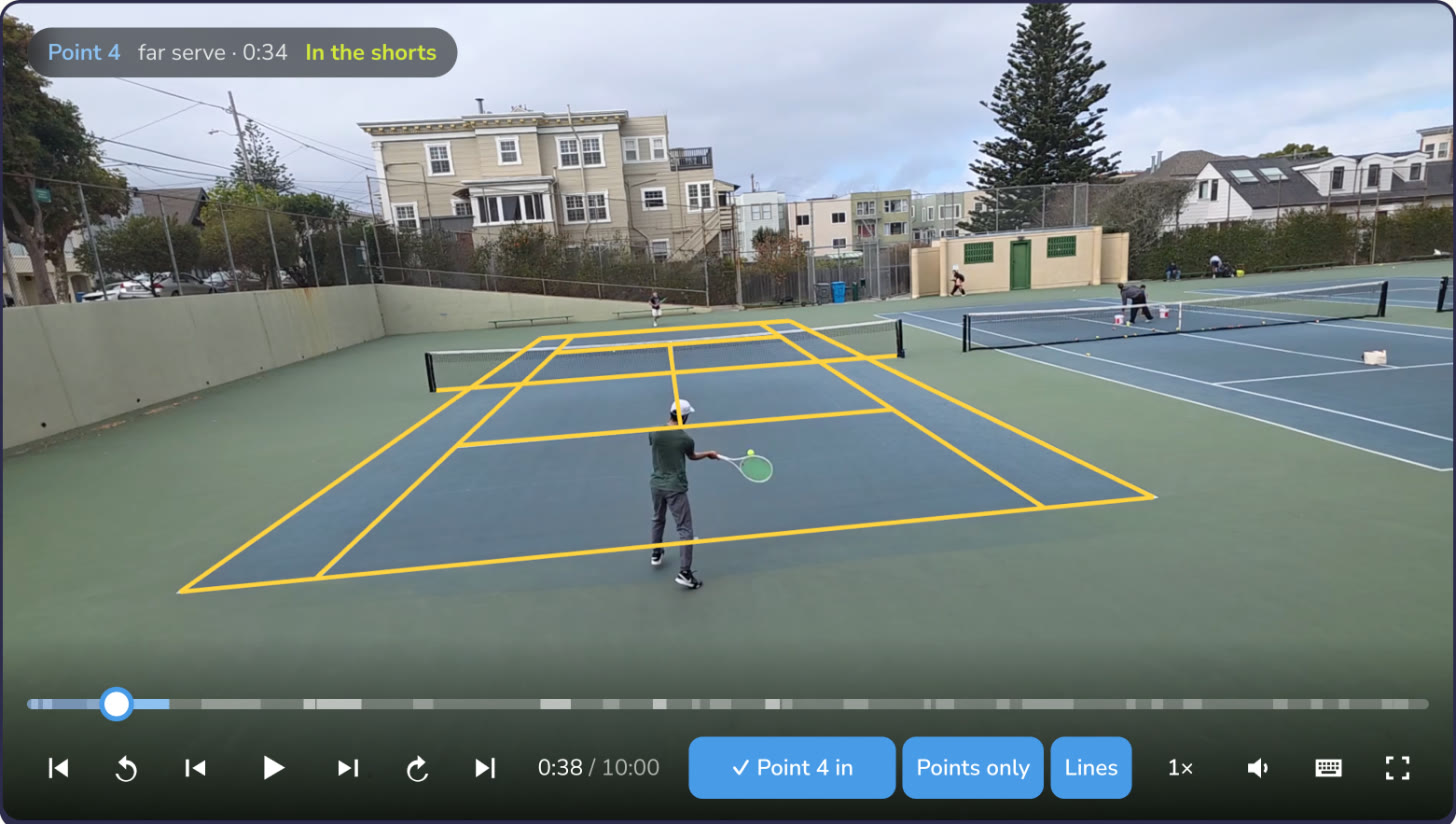
Export the whole match, minus the waiting.
Make one video of every point, back to back, in the full picture as you filmed it, with the sound as recorded. Share a set, send it to your coach, or put it on YouTube.
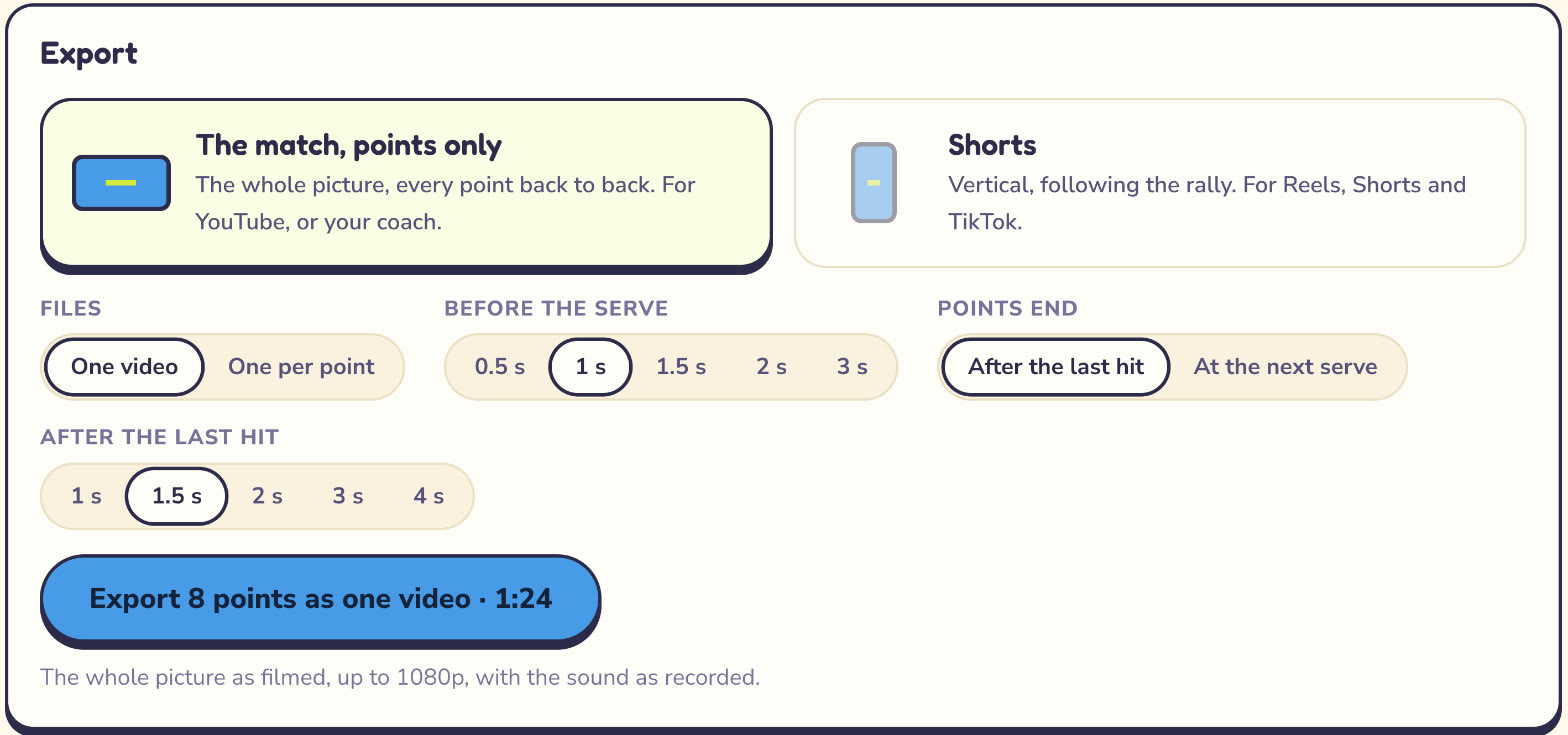
- ChooseEvery point, or only the ones you tick.
- Trim1 s before each serve by default; end points after the last hit heard, or at the next serve.
- ShapeThe whole picture (16:9), or a vertical cut that follows the play.
- FilesH.264 MP4 at up to 1080p, ready to upload anywhere.
Or a short of every point, following the rally.
A 9:16 window keeps both players in the frame as they move. While a point plays, the app dims everything the short leaves out, so you see the result before you export it.
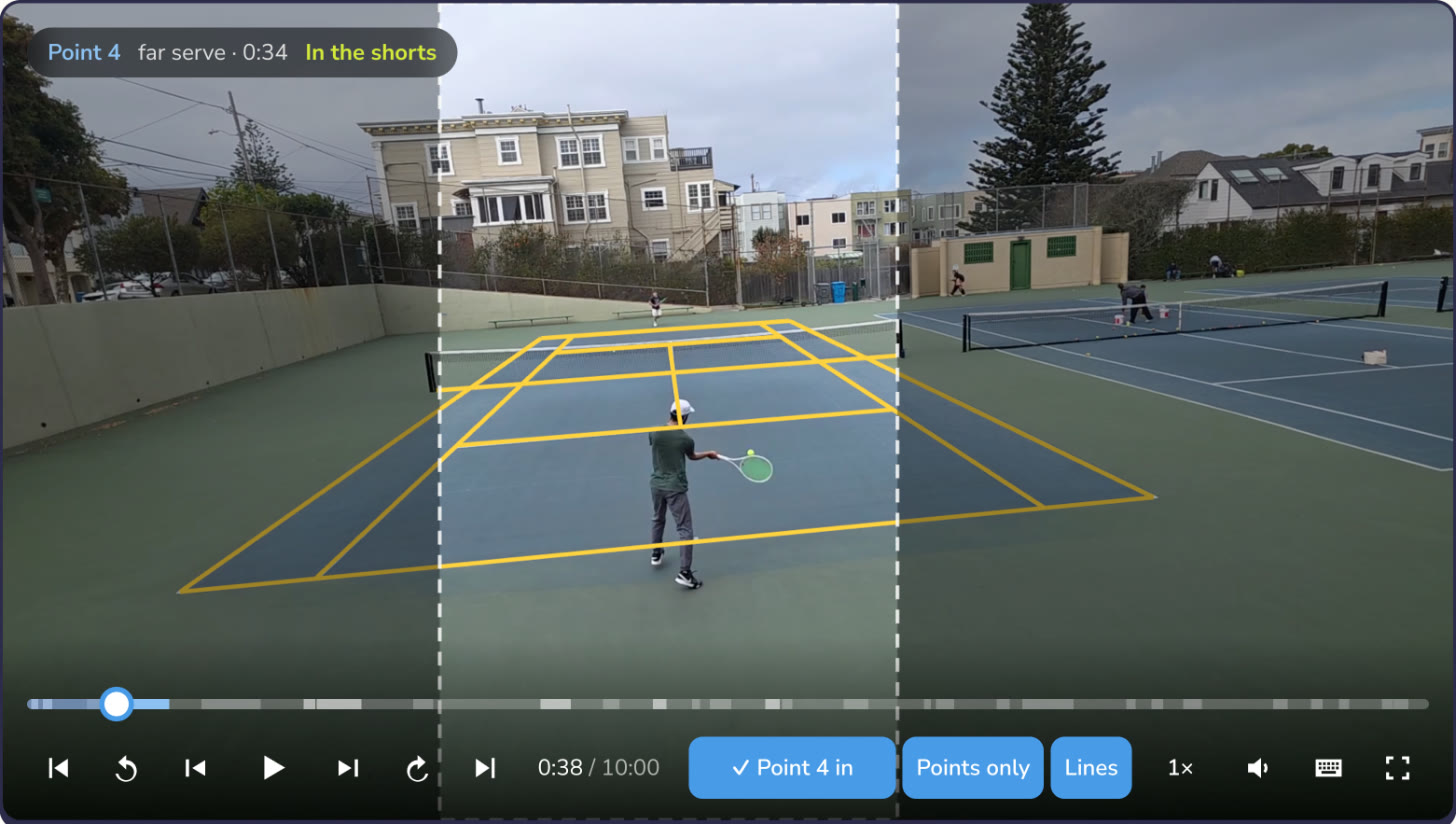
Frame it how you like.
Pick a framing for the whole match, then change any point by hand.
Follow both players
The window sits between the two players and moves with the point.
Follow the near player
Keeps the player closest to the camera in the middle of the short.
Fixed on the court
A steady window on the middle of the court, for footage you want still.
Drag it yourself
Drag the window on the video to set where a point looks. Drag while it plays to steer it.
Three steps.
Open your video
An MP4 or MOV from your phone or camera. The app finds the court by itself, or you tap its four corners.
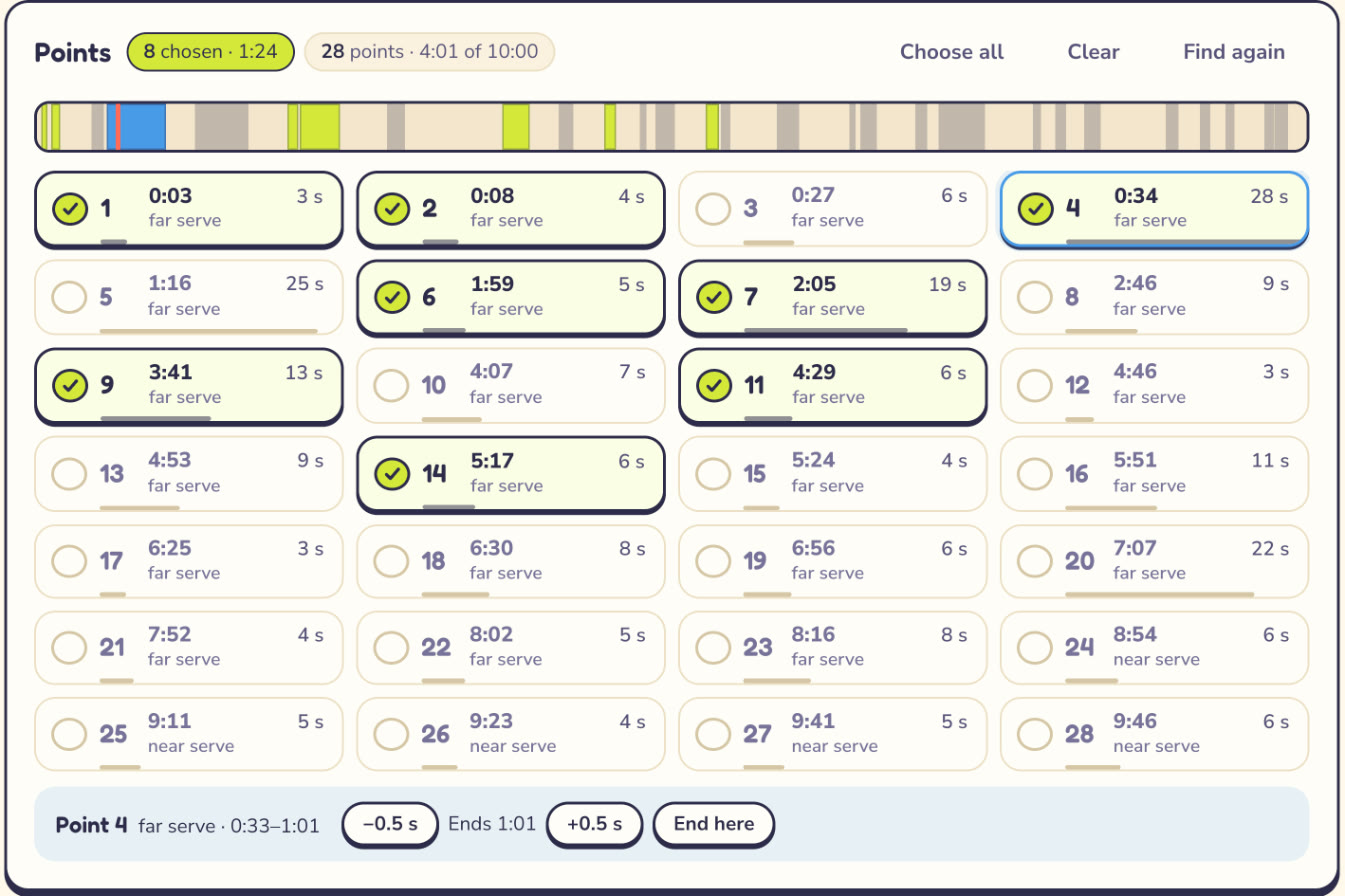
Choose the points
It finds every serve and hears where each rally ends. Tick the points you want, or press I while one plays.
Export
One video of the whole match without the dead time, or one per point, in 16:9 or as 9:16 shorts.
How to film it.
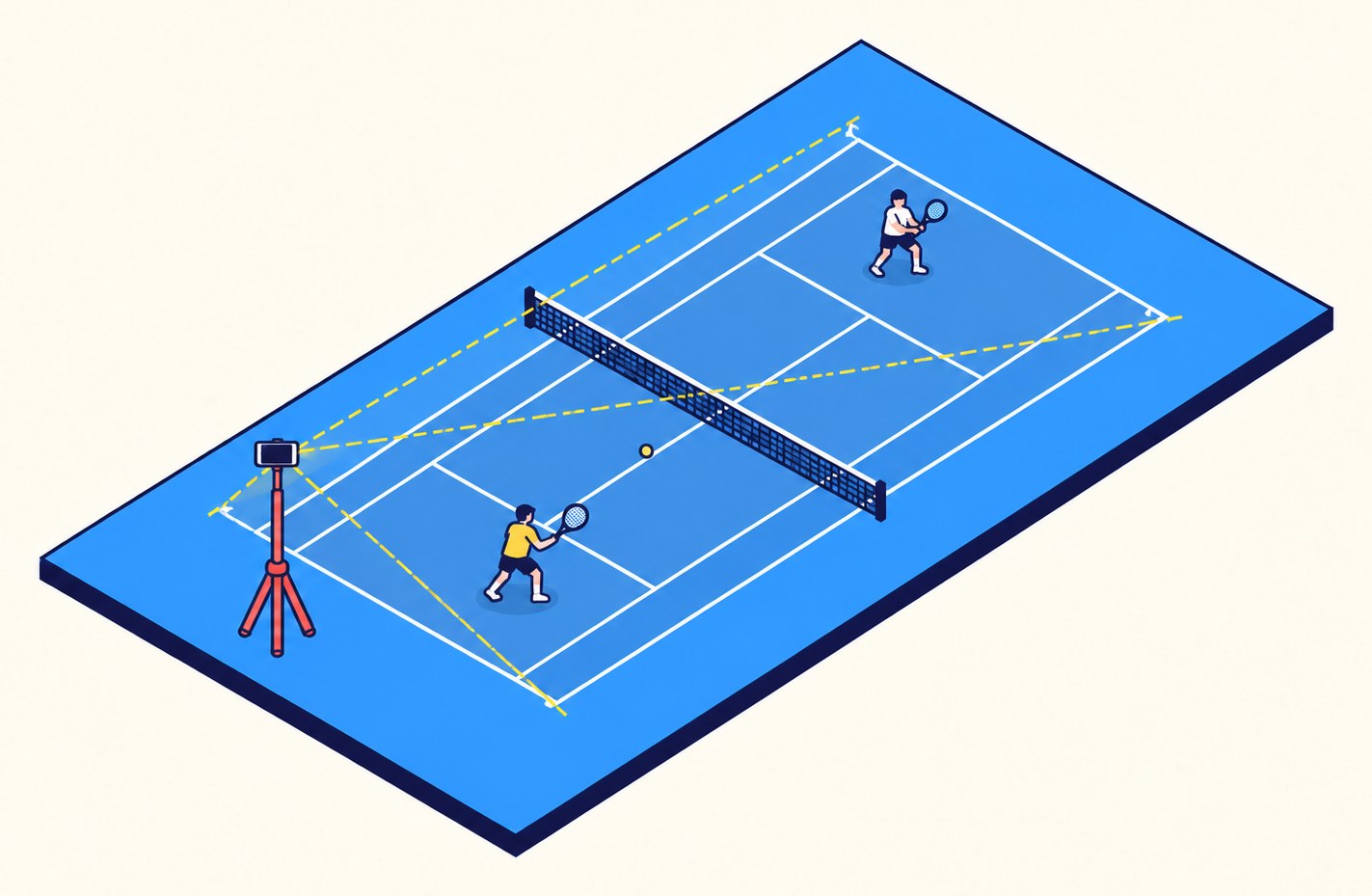
- WhereBehind a baseline, near the middle.
- HeightAbove head height, on a tripod or fence clamp.
- FrameAll four court corners in view. Don't move the phone.
- Settings1080p or 4K, landscape. 60 fps makes the smoothest shorts.
Completely free.
Every feature, no watermark and no card. Sign in with Google or an email code and open your first match.
Questions.
Is it really free?
Yes. Everything is free: points only, full-length exports and shorts. No card, no ads, no watermark.
Does my video get uploaded?
No. Finding the points, following the players and exporting all happen in your browser, on your device.
Which browsers work?
Current Chrome or Edge on a computer. Safari 17 or later for exporting.
What videos can I use?
MP4 or MOV, H.264 or HEVC, filmed from behind a baseline with the whole court in view.
How long does it take?
Finding the points takes a few minutes for an hour of video. Exporting runs on your device too, with no queue.